Secure Hardware Automation Comes to GitLab CI
June 11, 2025
News
Developing and testing software for embedded devices often introduces unique complexities into modern CI/CD pipelines. Traditionally, securely interacting with physical hardware for tasks like flashing firmware or running direct tests within a containerized CI environment has been challenging, often requiring overly permissive or complex configurations.
Addressing these challenges is the On-premises Embedded Device Cloud for GitLab CI community component. It enables GitLab to orchestrate a pool of shared embedded devices by dynamically and exclusively allocating to the Hardware In the Loop portions of a pipeline. Shared hardware is released back to the pool when the HIL pipeline completes. This is all done completely inside of GitLab with no dependencies on third party software or services.
This component now supports some advanced features of the GitLab Runner Docker Executor, enabling direct interaction with physical embedded devices. It achieves this without requiring Docker privileged mode. This innovation makes it safer and more efficient to automate the entire process of flashing firmware and testing physical embedded hardware directly from your GitLab CI jobs. This is made possible because the GitLab Runner registration command supports the advanced abilities to configure Docker devices and device cgroup rules.
The provided provisioning script now invokes these command line options for `gitlab-runner register`
--docker-volumes "/dev:/dev" --docker-devices /dev/bus/usb --docker-devices /dev/ttyACM0 --docker-device-cgroup-rules "c 166:* rmw" --docker-device-cgroup-rules "c 188:* rmw" --docker-device-cgroup-rules "c 189:* rmw"
Which results in these runner config.toml settings:
[runners.docker]
devices = ["/dev/bus/usb", "/dev/ttyACM0"]
volumes = ["/etc/ssl/certs:/etc/ssl/certs:ro", "/dev:/dev", "/cache"]
device_cgroup_rules = ["c 166:* rmw", "c 188:* rmw", "c 189:* rmw"]
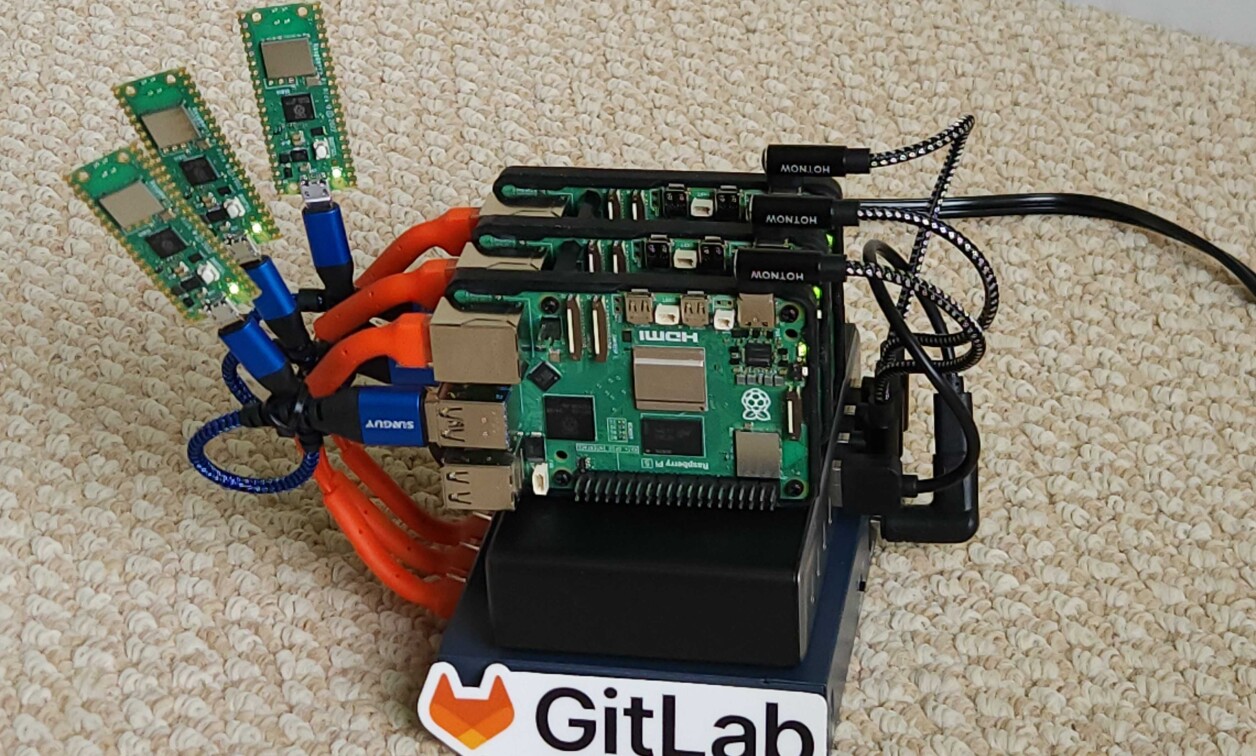
The working example code at GitLab for Embedded Demo Showcase is tested with Raspberry Pi 5’s running Raspberry Pi Linux with USB flashable embedded devices. The setup is general enough to to work for many embedded configurations. For more information, visit https://content.gitlab.com/viewer/6c3a73f76f87318ba61b462ecbbc3859.
Check out On-premises Embedded Device Cloud for GitLab CI community component where there are links to source code, how-to videos, and architecture information so that you can make it work to share much more expensive embedded devices! For more information, visit https://content.gitlab.com/viewer/667d61a0952fc1381f95bc93.